
Roadtrippers - Trip Planner
RoadtrippersTravel & Local
2.53.06K Reviews
- Version
- 3.0.2.6296
- Installs
- 1.00M
- Age Rating
- Everyone
Screenshots
Our Review of Roadtrippers - Trip Planner
 Analysis by Appyee
Planning a drive is easy when everything goes smoothly: the route is clear, the stops are settled, and your phone has a signal. The tricky part is deciding what deserves a detour, keeping plans usable while moving between places, and knowing what to do when a connection drops. Roadtrippers - Trip Planner is a travel-planning app from Roadtrippers that puts those choices at the center. I see its best use as shaping a journey before departure, rather than replacing every navigation tool you may need along the way.
It is free to install, rated for Everyone, and has reached over a million installs. The app has a 2.2 average from around 8,700 ratings, so I would approach it with practical expectations rather than assuming every part of the experience will suit every traveler. It has been available since November 2013, and version 2.30.0.5955 is the current release. Optional in-app purchases range from $6.99 to $59.99 per item, which makes it sensible to explore the free experience and check what an upgrade actually adds before spending.
Planning a Road Trip Around Real-World Connectivity
I use this section to think about how connection quality affects the planning process, rather than assuming the same experience in every location. A useful precaution is to make important choices while you have steady reception and keep the day’s plan simple enough to adjust if circumstances change. That leads naturally to the different demands of planning at home, checking details during a break, and making decisions from the passenger seat.
Where a live connection makes the biggest difference
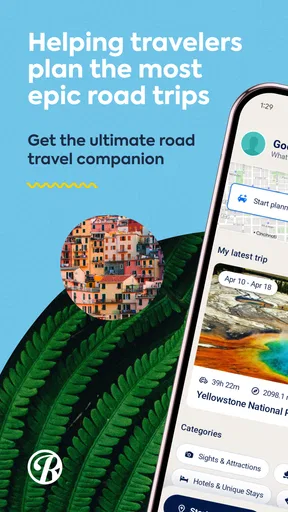
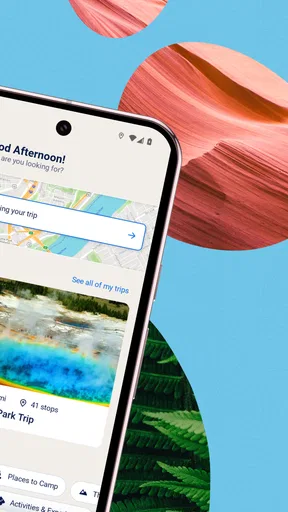
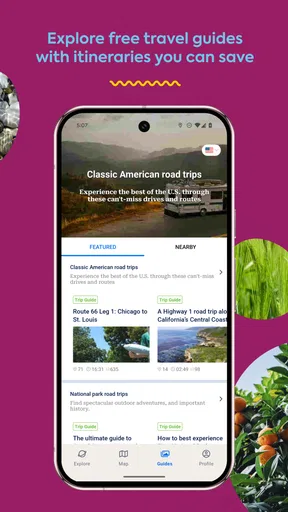
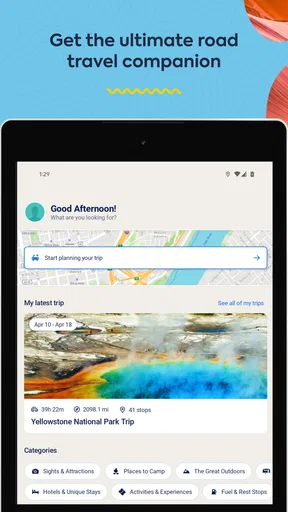
When you first open Roadtrippers - Trip Planner, you're greeted with a sleek and intuitive interface. Everything feels like it’s exactly where it should be, which is a relief when you're juggling multiple trip elements. The app asks for your starting point and destination, and then the magic begins. You can add stops along the way, and the app suggests attractions, restaurants, and accommodations. It's like having a savvy local friend guiding you.
That discovery-first approach is most useful while you have time and a reliable connection. I would use it at home, in a café, or during a passenger’s planning break to look for places that turn a plain drive into a more personal route. Suggestions are starting points, not promises: check opening details and whether a stop fits your schedule before building the day around it. That small habit matters especially when an attraction is the reason for a long detour.
Route ideas are not the same as turn-by-turn certainty
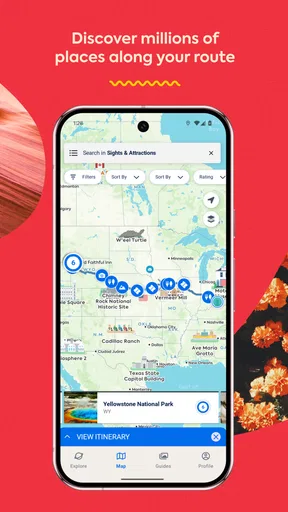
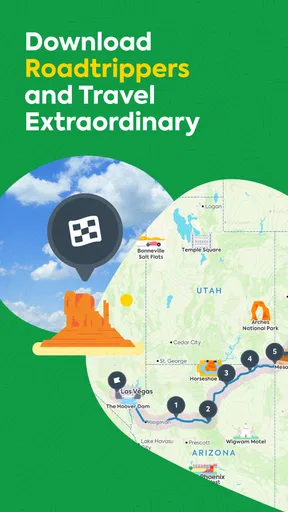
One of the standout features here is the map integration. It's not just about getting from point A to point B. Roadtrippers lets you explore the roads less traveled, showing you quirky attractions and hidden gems you might otherwise miss. Planning a trip from New York to San Francisco? Why not detour to see the world's largest ball of twine or a bizarre roadside diner? The app makes these discoveries easy and fun.
The trade-off is that browsing for interesting stops and navigating the drive are different jobs. I would settle the itinerary in advance, then use a dedicated navigation app when I need immediate driving directions or a quick reroute around traffic. This division is particularly useful on unfamiliar roads: the trip planner helps answer “What would make this journey memorable?”, while a navigation-focused alternative is usually the better tool for “Which turn should I take now?”
Build a flexible plan, not a timetable you cannot change
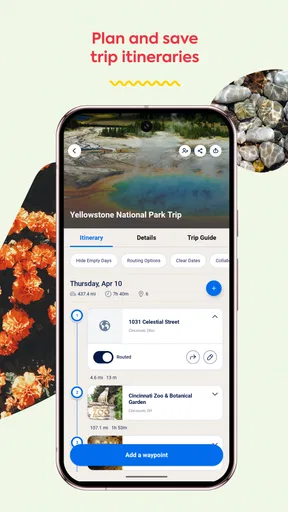
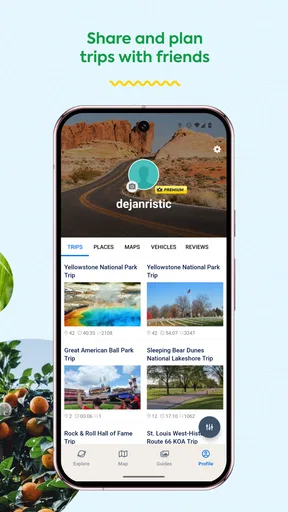
Customizing your trip is a breeze. You can add notes, change routes, and even adjust for scenic detours. For those who love to plan in detail, the app allows you to save different versions of your itinerary. This is awesome when you're deciding between a coastal route or a mountain pass. Plus, once your trip is planned, you can share it with friends or family, making it collaborative and inclusive.
A practical way to use those versions is to create a main route and a lighter backup, rather than trying to keep every possible stop in one crowded plan. For example, save the scenic option separately from the direct drive; then compare the two against daylight, meal breaks, and how much time you actually want to spend out of the car. Notes can also hold the reason for a stop or a reminder to verify hours, which is more useful than relying on memory after several days of planning.
Sharing is most helpful when other people can weigh in before departure. Ask a passenger to review the stops and flag the ones they care about, then agree on a short list of must-dos and optional extras. That keeps collaboration from becoming a last-minute debate in the car. The app is a better fit for groups who enjoy choosing sights together than for travelers who want a fixed, minimal route with no planning discussion.
Ideas from other travelers, with a little judgement
Speaking of sharing, the app’s social features are pretty neat. You can join travel groups, follow other users, and get inspired by their trips. This community aspect gives you a peek into real experiences, complete with reviews and photos. It's like a road trip social network, where you can gather ideas and tips from fellow adventurers.
I would treat community posts as inspiration rather than a substitute for checking whether a place suits your needs today. A photo can show the character of a stop, but it does not tell you whether the timing works for your particular drive or whether you want to spend your limited break there. A useful workflow is to collect a few candidates from other travelers, compare them with your route, and keep only the ones that make the day better. That avoids turning an appealing feed into an overstuffed itinerary.
What to expect when reception gets unreliable
One of the biggest concerns on the road is losing internet access. Thankfully, Roadtrippers - Trip Planner has offline capabilities. You can download maps and itineraries before you hit the road, ensuring that you're never left stranded without guidance. This feature is a lifesaver, especially when driving through remote areas where Wi-Fi is scarce.
Because connectivity needs can change from one stretch of road to the next, I would prepare before leaving a dependable network rather than waiting until the signal is already weak. Open the planned trip, review the route and stops, and make sure you have the information you expect to use. Then keep a simple written or saved backup of essential addresses and overnight details. That is not a substitute for a map, but it gives you another way to recover if an app is slow or a phone runs low on power.
It is also worth testing your own routine before a long drive: check what remains accessible after you lose reception, rather than assuming every screen will behave the same way. If something fails, pause somewhere safe, reconnect when possible, and use your prepared notes or another navigation option to continue. The app can help organize the trip, but a driver should never be trying to troubleshoot a phone while moving.
Choose an upgrade only for a clear reason
If you find yourself falling in love with the app, there’s the option to upgrade to Roadtrippers Plus. This premium version offers additional features, like no ads, offline maps, and more trip planning elements. It’s a worthwhile investment for frequent road trippers looking to enhance their travel experience.
There are in-app purchases, but I would not treat upgrading as an automatic step. First decide what is missing from your current planning routine: perhaps you want a particular extra planning capability, or you expect to rely on offline access. Then compare that need with the purchase details shown in the app. The listed purchase range runs from $6.99 to $59.99 per item, so checking the specific option matters more than assuming there is one standard subscription or that every paid feature is essential.
Who will get the most from it
This is a strong match for travelers who enjoy making the drive part of the holiday: couples choosing between scenic alternatives, families looking for worthwhile breaks, or friends who like to collect unusual stops. It is also useful for someone planning a multi-day route who wants the itinerary and ideas in one place before setting off. The app’s appeal is less clear for commuters, people who only need the fastest route, or anyone who dislikes browsing and would rather enter a destination and go.
Picture a weekend drive where the destination is fixed but the route is not. At home, you can build a direct plan, look for a few attractions or places to eat, and save a scenic alternative. On the morning of the trip, the group can choose based on weather, energy, and available time. If the day runs late, skip optional detours instead of trying to “complete” the plan. That is where a flexible itinerary earns its keep: it gives you choices without requiring every choice to become a commitment.
How it compares with familiar travel tools
Compared with a standard maps app, Roadtrippers puts more emphasis on discovering stops and assembling a trip, while conventional navigation tools tend to be more direct when the priority is live directions and traffic-aware changes. Compared with searching the web for attractions one by one, a trip planner can make it easier to think about stops in relation to the route. But if your trip is a simple point-to-point drive, opening a regular maps app may be quicker and less distracting.
I would not make one app responsible for every travel task. Use this one to shape the experience, a navigation tool for the immediate drive, and a small backup note for details you cannot afford to lose. This approach is especially sensible if your journey crosses areas with patchy service or if several people are coordinating the plan. It also helps set realistic expectations: discovery tools can make a route more interesting, but they do not remove the need to verify practical details or adapt on the day.
A grounded verdict for the road
In a world where travel can sometimes feel overwhelming, this app simplifies the process and injects a bit of fun into planning. Whether you're a meticulous planner or a spontaneous adventurer, it caters to travelers who want to shape a road trip around more than the destination. I find it most convincing as a place to gather route ideas, compare alternatives, and agree on stops before the car starts moving—not as the only tool to rely on for every live decision.
The modest average rating is a reason to keep expectations measured, not a verdict that makes the app useless. Try it on a short or familiar trip first, see whether its planning style fits you, and only consider a purchase if a specific feature solves a real problem. If you prefer a fast, stripped-down route with minimal browsing, a conventional maps app will likely feel more comfortable. If the detours, shared decisions, and advance planning are part of the fun, Roadtrippers can be a helpful companion, provided you prepare for connectivity changes and stay flexible.
So, if you're itching to hit the open road, give Roadtrippers - Trip Planner a try. It's more than an app; it's your co-pilot, navigator, and travel buddy all rolled into one. Happy travels!
Verdict
Strengths of Roadtrippers - Trip Planner
- User-friendly interface for easy trip planning.
- Extensive database of attractions and stops.
- Customizable itineraries to suit preferences.
- Integration with navigation apps for convenience.
- Offline maps available for limited connectivity.
Limitations of Roadtrippers - Trip Planner
- Limited free version features.
- Occasional app crashes reported by users.
- Ads can be intrusive at times.
- Some attractions lack detailed information.
- Requires internet for real-time updates.
Similar Picks in This Category
View All
Google Maps
Google LLC3.4

Google Maps Go
Google LLC4.1

Booking.com: Hotels & Travel
Booking.com Hotels & Vacation Rentals4.8

Google Earth
Google LLC3.8

Skyscanner Flights Hotels Cars
Skyscanner Ltd4.8

trivago: Compare hotel prices
trivago N.V.4.4
Frequently Asked Questions
What is Roadtrippers - Trip Planner and how does it work?
Roadtrippers - Trip Planner is a travel planning app designed to help users discover and organize their road trips. The app allows you to input your start and end points, and then suggests various attractions, accommodations, and dining options along your route. It provides detailed maps and estimated travel times, making it easier to plan your journey.
Is Roadtrippers available for both Android and iOS devices?
Yes, Roadtrippers - Trip Planner is available for download on both Android and iOS platforms. You can find it on the Google Play Store for Android devices and the App Store for iOS devices. The app is free to download, but offers in-app purchases for additional features.
What features are included in the free version of Roadtrippers?
The free version of Roadtrippers allows users to plan trips with up to seven waypoints, access basic map views, and explore some popular attractions. Users can also save trips and share them with friends. For more advanced features like offline maps and unlimited waypoints, a premium subscription is available.
How does the premium subscription enhance the Roadtrippers experience?
The premium subscription, known as Roadtrippers Plus, offers several enhancements, including the ability to add unlimited waypoints, offline map access, and exclusive deals on travel-related services. Subscribers also enjoy an ad-free experience and advanced trip customization options, making the trip planning process more comprehensive and enjoyable.
Can Roadtrippers be used for international road trips?
While Roadtrippers is primarily focused on the United States, it does offer some international coverage, especially in Canada and Australia. However, users planning trips outside these regions may find limited information and attractions. It is advisable to check the app’s coverage and features for your specific destination before relying solely on it for international travel.
